
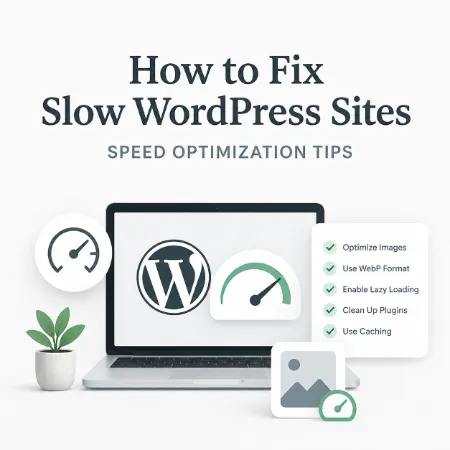
A slow WordPress site can hurt user experience and search engine rankings because visitors expect pages to load fast. When your site takes too long to show content, people leave before it even finishes loading. Fixing performance issues doesn’t have to be complicated, and once you understand the main causes, applying the right techniques can make your site feel much faster.
One of the most common reasons WordPress sites load slowly is large image files. Images taken straight from cameras or phone galleries are often very large in resolution and file size. Before uploading images to WordPress, it helps to reduce their size and compress them so they load faster without losing quality. To do this, you can use tools like CompactLastica Image Resizer and Compressor for Windows, which makes it easy to resize and compress photos on your computer before uploading them to your site. Smaller image files mean fewer bytes need to be downloaded by visitors, which directly speeds up page loading.
In addition to image compression, using modern image formats like WebP can significantly improve loading times. WebP files are usually much smaller than traditional JPEG or PNG files while maintaining similar quality. Most modern browsers support WebP, so serving WebP images helps cut down file size and load pages faster. If you upload both WebP and traditional formats, using the HTML <picture> element can provide automatic fallback for browsers that don’t support WebP.
Another important factor in WordPress performance is how media like videos are handled. Embedding YouTube videos directly can slow down a page because the full video player and scripts load even before the user plays the video. A great solution is to only load the video when the visitor clicks on it. With our Tubelastica Plugin, YouTube videos are displayed as lightweight thumbnails and only load the real video player when clicked. This lazy loading method reduces the amount of JavaScript and media that loads on page load, making the site substantially faster, especially on pages with many embedded videos.
Caching can also help improve performance by storing static versions of your pages so that visitors don’t have to load every element from scratch each time they visit. A caching plugin generates a saved version of the page that loads quickly without running all the backend processes.
Choosing a good hosting provider makes a big difference too. Cheap shared hosting can slow down your entire site because resources are limited. Upgrading to better hosting optimized for WordPress ensures your site gets faster server response times and better handling of traffic.
Limiting the number of active plugins on your site also influences performance. Each active plugin adds more code, styles, and scripts that WordPress has to load. Deactivating plugins you don’t need and choosing lightweight alternatives helps reduce the amount of processing the server needs to do.
Your WordPress database can also affect speed if it becomes cluttered with revisions, unused data, or unnecessary tables. Periodically cleaning and optimizing the database with tools built into plugins can help reduce load time.
Another useful technique is enabling GZIP compression on your server, which reduces the size of files sent from the server to the visitor’s browser. This means your pages load faster because compressed files require fewer bytes to transfer. Most hosting control panels provide an option to enable GZIP compression easily.
Running your site on an up‑to‑date PHP version is also important. Newer versions of PHP run code more efficiently, so upgrading to a supported, modern PHP version through your hosting panel helps improve overall performance.
Lastly, keeping WordPress, your theme, and plugins updated ensures you benefit from speed improvements and fixes that developers release over time. Outdated code can slow down your site or conflict with newer technologies.
In summary, improving your WordPress site speed involves optimizing images before upload, converting images to modern formats like WebP, using lazy loading for videos with Tubelastica Plugin, enabling caching, choosing good hosting, limiting plugins, optimizing your database, enabling compression, using modern PHP, and keeping everything updated. Taking these steps can make your site faster, which leads to happier visitors and better search rankings.
