Social Image Resizer – Free Tool for Instagram, Pinterest and YouTube Images

Creating the correct image size for social media can be time-consuming because every platform uses different dimensions. Whether you are creating content for Instagram, Pinterest, YouTube, Shopify, blogs, or websites, resizing images manually can quickly become frustrating.

Social Image Resizer is a free browser-based tool that helps you resize, crop, and customize images in seconds. Simply upload an image, choose a preset size, reposition the crop if needed, and download the finished result. No software installation is required.

Features

  • Resize images for popular social media platforms
  • Built-in presets for YouTube, Pinterest, Instagram, Shopify, and blogs
  • Custom image sizes
  • Fill (Crop) and Fit resize modes
  • Drag and reposition images in Fill mode
  • Zoom to fine-tune image cropping
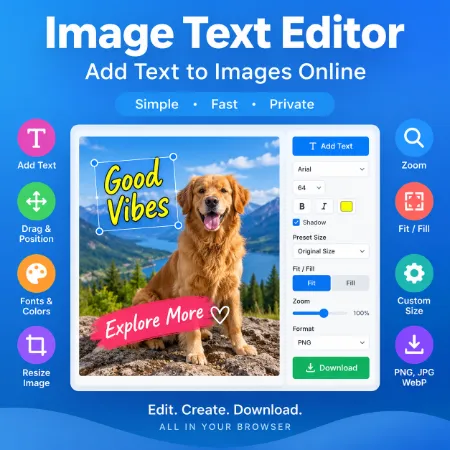
  • Text overlay with drag-and-drop positioning
  • Export images as JPG, PNG, or WebP
  • Works entirely inside your browser
  • No account required

Social Media Presets

The tool includes ready-to-use image sizes for popular platforms. Instead of entering dimensions manually, simply choose a preset and resize your image instantly.

Popular presets include:

  • YouTube Thumbnail
  • Pinterest Pin
  • Instagram Square
  • Instagram Portrait
  • Instagram Story
  • Facebook Post
  • LinkedIn Post
  • Shopify Product Image
  • Website Banner

You can also enter your own custom dimensions if needed.

Smart Crop with Fill Mode

When the output size uses a different aspect ratio than your original image, simply choose Fill mode.

You can drag the image to choose exactly which part appears in the final result. Use the Zoom slider to crop even more precisely while keeping the output completely filled without empty borders.

If you want to keep the entire image visible, choose Fit mode instead.

Add Text to Your Images

The built-in text overlay feature allows you to add titles, captions, promotional text, or simple watermarks directly to your image.

You can customize:

  • Font style
  • Text size
  • Font weight
  • Text color
  • Shadow effects

After adding text, simply drag it to the desired position on the image preview.

How to Use the Tool

  1. Upload your image.
  2. Choose a preset size or enter custom dimensions.
  3. Select Fill or Fit resize mode.
  4. Click Resize.
  5. If using Fill, drag the image to adjust the crop and use the Zoom slider if needed.
  6. Add text if desired.
  7. Choose your preferred image format.
  8. Download the finished image.

The entire process takes only a few seconds.

Privacy Friendly

All image processing takes place directly in your browser. Your images are never uploaded to a server, helping keep the tool fast, private, and secure.

Who Is This Tool For?

Social Image Resizer is useful for bloggers, content creators, website owners, online stores, social media managers, designers, and digital marketers.

Whether you need a YouTube thumbnail, Pinterest pin, Instagram post, Facebook image, LinkedIn graphic, Shopify product image, or website banner, this tool makes resizing and cropping fast and easy.

Try Social Image Resizer today and create perfectly sized images for social media and websites without complicated software.

Try Social Image Resizer Online

Download social Image Resizer Offline

Tool not working? Please report the issue through our Contact Page. Be sure to include the tool name, your browser, and a short description of what happened so we can fix it quickly!

Leave a Comment

This site uses Akismet to reduce spam. Learn how your comment data is processed.

Scroll to Top