
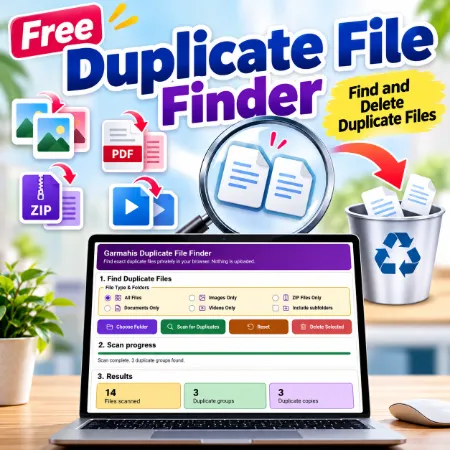
Duplicate files can take up unnecessary storage space and make your folders harder to organize. Garmahis Duplicate File Finder is a free browser-based tool that helps you find and remove exact duplicate files on your computer.
No installation, account, or file upload is required.
Find Duplicate Files Easily
Garmahis Duplicate File Finder compares file contents to identify exact duplicates, even when the filenames are different.
You can scan different types of files, including:
- Images (JPG, PNG, WebP, AVIF, and more)
- ZIP archives
- Documents (PDF, Word, Excel, and more)
- Videos (MP4, MOV, AVI, and more)
- All file types
You can also include subfolders when scanning.
How to Use the Duplicate File Finder
- Open the Duplicate File Finder tool in Chrome or Edge.
- Choose a file type or select All Files.
- Enable Include subfolders if needed.
- Click Choose Folder and select a folder on your computer.
- Click Scan for Duplicates.
- Review the duplicate groups and select which copies to keep or delete.
- Click Delete Selected and confirm your selection.
You can also identify identical folders when scanning all files with subfolders enabled.
Important: Deleted files may bypass the Recycle Bin. Always review your selections carefully before confirming deletion.
Private and Secure File Scanning
Your files are processed locally in your browser. They are not uploaded to our website or sent to a server.
The tool uses SHA-256 hashing to compare file contents and find exact duplicates.
Why Use Garmahis Duplicate File Finder?
- Completely free to use
- No software installation required
- No registration or account needed
- Finds exact duplicates with different filenames
- Supports images, documents, ZIP files, and videos
- Can scan subfolders and identify duplicate folders
- Lets you choose which copies to keep
- Processes files locally for privacy
Browser Compatibility
Garmahis Duplicate File Finder is designed for desktop versions of Google Chrome and Microsoft Edge using a secure HTTPS connection.
Try Garmahis Duplicate File Finder
Find duplicate files, review the results, and remove unwanted copies with a simple, colorful interface.
Open Garmahis Duplicate File Finder
Keep your files organized with this free tool from Garmahis.
