
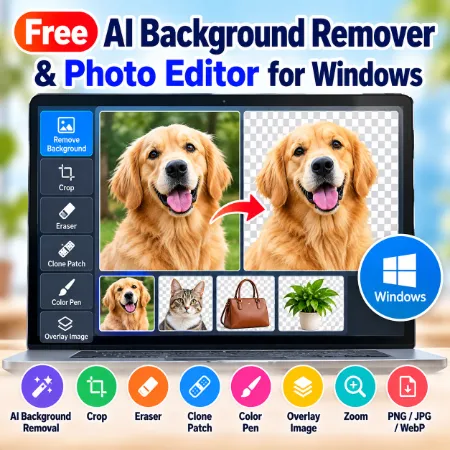
Looking for a free and easy way to remove image backgrounds and edit photos on Windows?
Garmahis AI Background Remover is a free Windows application that combines AI background removal with useful photo editing tools. You can remove backgrounds, crop images, erase unwanted areas, repair photos, draw with colors, and add overlay images—all in one application.
The software runs locally on your computer, so you don’t need to upload your photos to an online editing service.
1. Remove Photo Backgrounds with AI
Remove unwanted backgrounds from portraits, product photos, pet pictures, and other images.
How to use it:
- Open a photo from your computer.
- Click Remove Background.
- Wait for the AI to process your image.
- Save the result with a transparent or solid background.
2. Crop and Resize Your Editing Area
Use the Crop tool to select and keep the part of your photo you want.
You can crop an image without removing its background. Simply select the area, adjust the crop box, and click Apply Crop.
3. Erase Unwanted Parts of an Image
The Eraser tool helps you remove unwanted areas from your photo.
Adjust the brush size to erase small details or larger sections. It is especially useful for cleaning up images after background removal.
4. Repair Photos with Clone Patch
The Clone Patch tool copies pixels from one part of an image to another.
Use it to cover small unwanted objects, repair imperfections, or improve image details.
5. Draw with the Color Pen
The Color Pen lets you draw directly on your image.
Choose a color using the color picker or enter a HEX color code. Adjust the brush size to make small corrections or add simple markings.
6. Add an Overlay Image
The Overlay tool allows you to place a second image over your main photo.
You can combine two photos, add a logo, or create simple photo compositions.
How to use an overlay:
- Open your main image.
- Click Add Overlay and choose another image.
- Drag the overlay to the desired position.
- Resize it as needed.
- Click Edit Overlay to start editing.
- Use the available editing tools.
- Save your completed image.
Important: Finish positioning and resizing your overlay before clicking Edit Overlay. After entering editing mode, the overlay can no longer be dragged or resized.
You can add an overlay without first removing the main image’s background.
7. Undo, Redo, and Zoom
Use Undo and Redo to correct editing mistakes.
The Zoom tool helps you work on small image details with greater accuracy.
You can also use Reset or Clear when you want to start over.
8. Save Images as PNG, JPG, or WebP
Choose the format that best suits your needs:
- PNG: Ideal for images with transparent backgrounds.
- JPG: Suitable for regular photos and everyday use.
- WebP: Offers good image quality with smaller file sizes.
9. Download Free AI Background Remover for Windows
Garmahis AI Background Remover is completely free to download and use.
Download the Windows installer, follow the installation instructions, and start editing your photos.
No paid subscription or online photo upload is required.
Final Thoughts
Garmahis AI Background Remover is more than a background removal tool. It combines AI background removal, cropping, erasing, photo repair, drawing, and image overlays in one free Windows application.
Whether you’re editing product photos, preparing website images, or making simple photo compositions, this application provides useful editing features without requiring an online service.
