
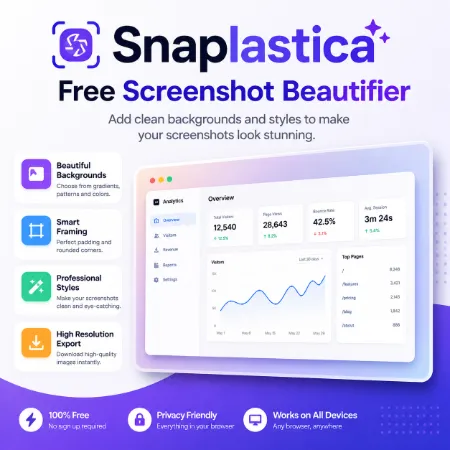
A plain screenshot is often enough for documentation, but it may not look attractive when shared on social media, blogs, presentations, or product pages. Snaplastica is a free browser-based tool that helps you transform ordinary screenshots and images into clean, professional-looking visuals in just a few seconds.
The tool works entirely in your browser, so there is nothing to install and your images are processed locally. Simply upload a screenshot or image, choose a preset background color or a custom color, adjust the padding, rounded corners, and 3D tilt and shadow effects, select an output size if needed, and download the finished result.
Snaplastica is designed to be lightweight, fast, and easy to use. Instead of offering dozens of complicated editing features, it focuses on the tools most people need to prepare screenshots and images for websites, blogs, documentation, Product Hunt, presentations, portfolios, and social media.
Features
- Beautify screenshots and images
- Choose from preset background colors
- Use a custom background color
- Adjust padding and spacing
- Apply rounded corners
- Add 2D Angle & Skew
- Adjust screenshot size with the Screenshot Scale slider
- Resize the final output for blogs, social media, Product Hunt, or custom widths
- Export as WebP, PNG, or JPG
- Adjust image quality before downloading
- Works completely in your browser
- No registration or installation required
How to Use
Upload a screenshot or image, choose a preset background color or select your own custom color, then adjust the padding, rounded corners, and optional 3D tilt and shadow effects. If needed, select a predefined output size or enter a custom width. You can also enter a HEX color code to match your website or brand. Choose your preferred export format, adjust the image quality, and download your finished image.
Why Use Snaplastica?
Professional-looking screenshots help your content stand out and create a better first impression. Whether you are writing tutorials, showcasing software, sharing blog posts, launching a product, or creating social media content, Snaplastica makes it easy to prepare polished images in just a few clicks.
Try Snaplastica today and create beautiful screenshots and images without using complicated image editing software.
Try Snaplastica Windows Online
Tool not working? Please report the issue through our Contact Page. Be sure to include the tool name, your browser, and a short description of what happened so we can fix it quickly!
