
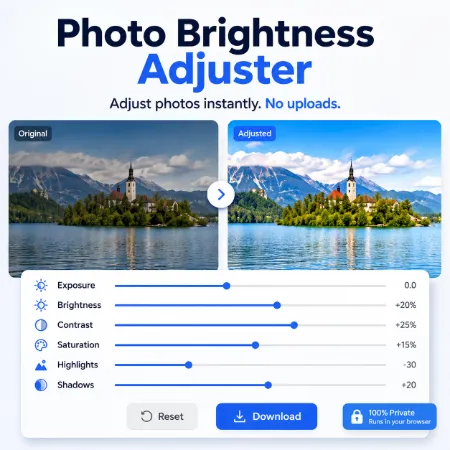
Photo Brightness & Contrast Adjuster is a free browser-based tool that helps you improve photos quickly without installing software. Simply upload an image, adjust the brightness and contrast, preview the changes instantly, and download the finished result in your preferred format.
Many photos are too dark, too bright, or have poor contrast. This tool makes it easy to improve image quality using two simple sliders. The side-by-side preview lets you compare the original image with the adjusted version before downloading, helping you fine-tune the result with confidence.
The interface is clean, lightweight, and easy to use. There are no unnecessary editing features or complicated settings. Whether you are enhancing personal photos, blog images, website graphics, or social media pictures, you can make quick adjustments in just a few clicks.
The tool supports JPG, PNG, and WebP images. You can also export the edited image in any of these formats, making it easy to convert images while adjusting their appearance. The original filename is preserved, with only the file extension changing when you choose a different output format.
Everything runs directly in your browser. Your images are processed locally on your device, so they are never uploaded to a server. This makes the tool suitable for users who value privacy and want a fast editing experience.
For users who prefer offline use, a downloadable ZIP version is also available. It provides the same simple interface and features, allowing you to adjust brightness and contrast without an internet connection.
Whether you need to brighten a dark photo, improve contrast, or quickly convert an image to JPG, PNG, or WebP, Photo Brightness & Contrast Adjuster offers a fast, lightweight, and privacy-friendly solution.
Try Photo Brightness Adjuster windows Online
Try Photo Brightness Mobile Asjuster
Tool not working? Please report the issue through our Contact Page. Be sure to include the tool name, your browser, and a short description of what happened so we can fix it quickly!
