
Image Color Picker
The Image Color Picker is a free browser-based tool that helps you quickly identify, preview, and copy colors for websites, graphics, branding, and creative projects. Whether you need to extract a color from an image or preview a specific HEX color, everything can be done instantly without installing software.
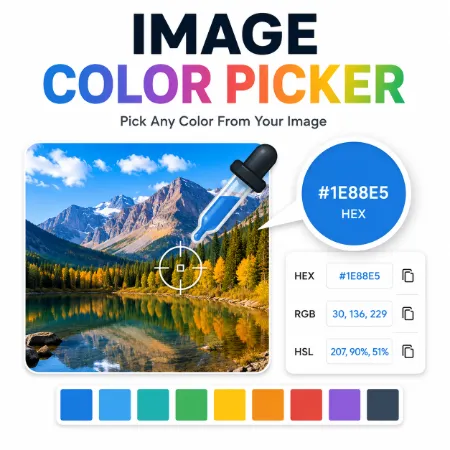
Simply upload an image and click anywhere to pick the exact color, or enter a HEX color code to preview it immediately. The tool automatically converts the selected color into HEX, RGB, and HSL formats, making it easy to use in websites, design software, or CSS.
Everything works directly inside your browser. Your images stay on your device, giving you a fast and private way to work with colors.
Fast and Easy Color Selection
The Image Color Picker offers two simple ways to work with colors.
Upload an image and click anywhere to identify the exact color of any pixel.
If you already have a HEX color code, simply paste or type it into the input box to preview the color instantly.
The tool automatically displays the color in HEX, RGB, and HSL formats and lets you copy any value with a single click.
Main Features
The Image Color Picker includes a collection of practical features for everyday design work.
Pick colors from uploaded images
Preview any HEX color instantly
Automatic HEX, RGB, and HSL conversion
One-click copy buttons
Large live color preview
Fast browser-based processing
Clean and easy-to-use interface
Private processing with no image uploads
No software installation required
How to Use the Tool
Using the Image Color Picker only takes a few seconds.
Upload an image and click anywhere to select a color.
Or enter a HEX color code to preview it immediately.
The selected color is displayed in a large preview box together with its HEX, RGB, and HSL values.
Use the Copy buttons to copy any format directly into your project.
Whenever you want to start again, simply click the Reset button.
Perfect for Designers and Developers
The Image Color Picker is useful for many different projects.
Choose colors for websites
Preview brand colors before using them
Extract colors from logos
Analyze colors from screenshots
Match UI and interface colors
Copy CSS color values
Create consistent branding
Design graphics and social media content
Because the tool supports multiple color formats, it fits naturally into both web design and graphic design workflows.
Browser-Based and Private
The Image Color Picker runs entirely inside your browser.
Your images are never uploaded to a server, helping keep your work private while providing fast performance.
There are no accounts to create, no software to install, and no complicated settings to configure. Simply open the tool and start working.
Why Choose This Image Color Picker
Many color pickers only allow you to extract colors from an image.
This tool also lets you preview any HEX color instantly, making it useful whether you are working with existing images or already have a color code from a website, design system, or CSS file.
The clean interface keeps everything simple while providing the information most designers and developers need.
Summary
The Image Color Picker is a lightweight browser-based tool for picking colors from images and previewing HEX colors instantly. It automatically converts colors into HEX, RGB, and HSL formats and includes one-click copy buttons for a faster workflow.
Whether you are a web designer, developer, blogger, content creator, or beginner, the Image Color Picker provides a simple, accurate, and private way to work with colors every day.
Try Image Color Picker Windows Online
Try Mobile Image color Picker
Tool not working? Please report the issue through our Contact Page. Be sure to include the tool name, your browser, and a short description of what happened so we can fix it quickly!
