
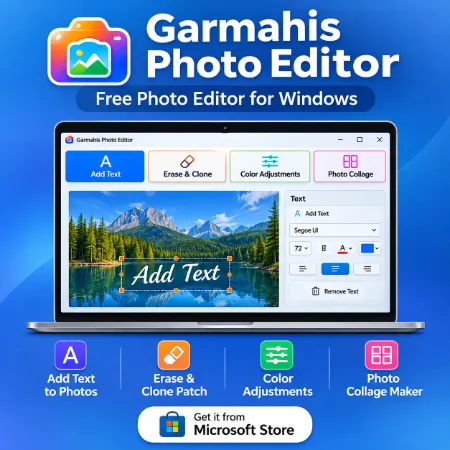
Looking for a free photo editor for Windows that’s simple and easy to use? Garmahis Photo Editor brings essential photo editing tools together in one desktop application.
Whether you want to add text to a picture, remove unwanted details, adjust colors, or create a photo collage, Garmahis Photo Editor helps you complete everyday editing tasks without complicated software.
What Is Garmahis Photo Editor?
Garmahis Photo Editor is a free Windows desktop application designed for practical photo editing.
Its straightforward interface organizes editing tools into four sections, making it easy to choose the function you need. You can move between editing sections while working on your photo.
Main Features
1. Add Text to Photos
Personalize your photos with custom text.
- Add multiple text elements.
- Adjust text size and color.
- Apply bold and other supported text formatting.
- Move text to your preferred position.
- Remove individual text elements.
This feature is useful for creating social media images, announcements, and personalized pictures.
2. Erase and Clone Patch
Remove unwanted details or repair small areas of a photo.
The Erase tool helps clean up selected areas, while Clone Patch lets you copy image details from one area to another.
These tools are useful for basic photo corrections and touch-ups.
3. Color Adjustments
Improve the appearance of your photos with easy-to-use color controls.
Adjust image appearance, experiment with different settings, and preview changes before saving.
The interface keeps editing controls organized so you can focus on the photo.
4. Photo Collage Maker
Combine multiple photos into a single image.
- Create collages with up to six photos.
- Arrange photos in a grid.
- Change photo positions.
- Adjust spacing and border colors.
- Create a larger featured image within your collage.
This feature is useful for photo collections, family memories, and social media posts.
Simple and Organized Interface
Garmahis Photo Editor uses a clean desktop layout with clearly separated editing sections.
The interface includes photo previews, editing controls, and labeled buttons. Active tools are highlighted, making it easier to recognize the selected function.
You can preview your changes before saving the finished photo.
Who Can Use Garmahis Photo Editor?
Garmahis Photo Editor is suitable for everyday users, students, bloggers, content creators, and anyone who needs basic photo editing tools.
It is especially useful for people who prefer a straightforward Windows application rather than a complex professional editing program.
Download Garmahis Photo Editor for Windows
Garmahis Photo Editor is available through the Microsoft Store.
Download: Garmahis Photo Editor – Microsoft Store
Install the application on your compatible Windows computer and start editing your photos.
Final Thoughts
Garmahis Photo Editor combines text editing, erase and clone tools, color adjustments, and photo collage creation in one free Windows application.
With its organized interface and practical features, it offers a convenient solution for everyday photo editing.
Try Garmahis Photo Editor and create your next photo project. Download it in Microsoft Store
