
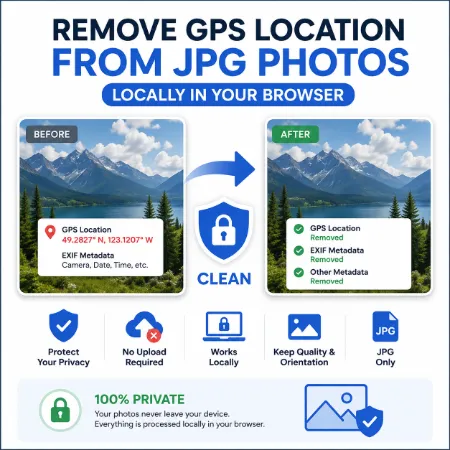
Many smartphones and cameras store hidden metadata inside JPG photos. This information can include GPS location, camera model, date taken, and other details that you may not want to share online.
This free JPG Privacy Cleaner removes GPS location and metadata directly in your browser. Your photos stay on your device and are never uploaded to a server.
Why Remove GPS Location from JPG Photos?
When you share photos on websites, social media, forums, or email, hidden GPS data may reveal where the photo was taken.
Removing metadata helps protect your privacy while keeping your photos looking the same.
Features
- Remove GPS location from JPG photos
- Remove EXIF metadata
- Process photos locally in your browser
- No photo upload required
- Keeps the correct photo orientation
- Preserves high image quality
- Free to use
How to Use
- Choose a JPG photo.
- Check the privacy information.
- Click Clean Photo.
- Download the cleaned JPG.
That’s it. Your new photo is ready without GPS location or hidden metadata.
Who Can Use This Tool?
This tool is useful for anyone who shares photos online, including:
- Social media users
- Bloggers
- Journalists
- Business users
- Real estate agents
- Travelers
- Anyone who wants better photo privacy
Try the JPG Privacy Cleaner
Remove GPS location and hidden metadata from JPG photos locally in your browser. No uploads, no registration, and your photos stay on your device.
Try GPS Windows Remover Online
Download GPS Windows Remover Offline
Try GPS Mobile Remover
