
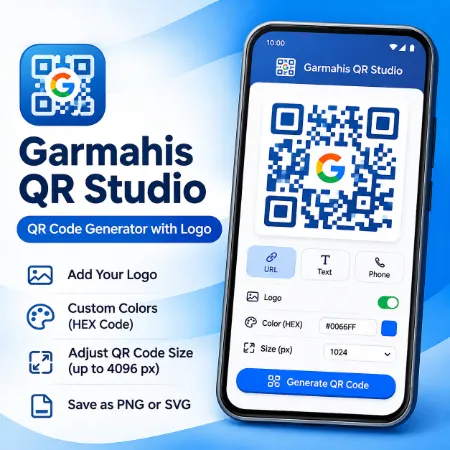
Creating a customized QR code on your Android phone doesn’t have to be complicated. Garmahis QR Studio is a free Android app designed to help users generate QR codes with personalized colors, logos, and sizes.
Whether you’re sharing a website, promoting a small business, or creating QR codes for printed materials, this QR Code Generator with Logo offers a straightforward way to create and customize your designs.
Create QR Codes Directly on Your Android Phone
Garmahis QR Studio provides an easy-to-use interface for generating QR codes without needing a desktop computer.
You can create QR codes for different types of content, including:
- Website URLs: Direct customers or visitors to your website.
- Plain Text: Share short messages or other text information.
- Phone Numbers: Create QR codes containing contact numbers.
Simply enter your information, customize the appearance, and generate your QR code.
Customize QR Codes with Your Own Logo
Adding a logo can make your QR code more recognizable, especially when you’re using it for business purposes.
With this QR Code Generator with Logo, you can incorporate your own logo into the QR code design.
This feature is useful for business cards, product packaging, promotional flyers, and other branded materials.
For reliable scanning, choose a clear logo and test the finished QR code before sharing or printing it.
Choose Custom Colors with HEX Codes
Garmahis QR Studio lets you personalize QR code colors instead of using only traditional black.
You can select a color or enter a specific HEX color code to match your brand.
For example, a business using blue in its branding can apply a similar shade to its QR code.
For best scanning results, maintain strong contrast between the QR code and its background.
Adjust QR Code Size for Different Uses
Different projects require different image sizes. A QR code used on a mobile screen may not need the same dimensions as one intended for a printed poster.
Garmahis QR Studio provides preset sizes and adjustable dimensions up to 4096 pixels.
Smaller sizes are convenient for everyday digital sharing, while larger sizes are useful when preparing high-resolution graphics.
Save QR Codes as PNG or SVG
The app supports two useful output formats:
PNG: Suitable for websites, social media, digital documents, and everyday sharing.
SVG: A vector format that can be scaled without losing sharpness, making it especially useful for printed materials.
Having both formats gives users more flexibility when preparing QR codes for different projects.
Who Can Use Garmahis QR Studio?
This QR Code Generator with Logo can be useful for a wide range of everyday activities.
Small Business Owners: Create branded QR codes for business cards, packaging, and promotional materials.
Website Owners: Generate QR codes that direct visitors to websites or online resources.
Teachers and Students: Share educational links, instructions, or other information.
Personal Users: Create QR codes for websites, phone numbers, and text without using a computer.
Why Choose Garmahis QR Studio?
Garmahis QR Studio focuses on practical customization without an overly complicated interface.
Its main features include:
- Free QR code generation on Android
- Website URL, text, and phone number support
- Custom logo integration
- Color selection and HEX color input
- Preset and adjustable QR code sizes
- PNG and SVG export options
- Simple, mobile-friendly controls
Whether you need a basic QR code or a customized design for your business, the app provides the essential tools in one place.
Download Garmahis QR Studio for Android
If you’re looking for a free QR Code Generator with Logo, Garmahis QR Studio is available for Android through Google Play.
Download Garmahis QR Studio on Google Play
