
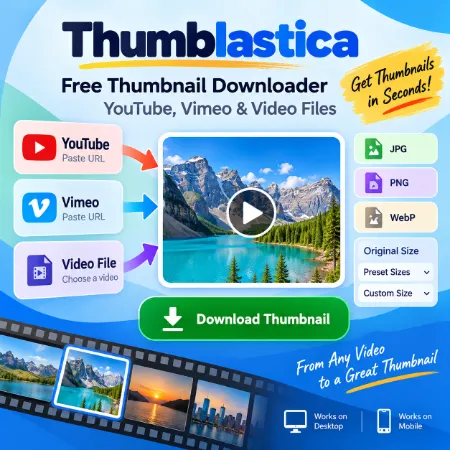
Thumblastica is a free thumbnail downloader that helps you quickly create and download thumbnail images from YouTube videos, Vimeo videos, and local video files.
For an online video, simply paste a YouTube or Vimeo URL. The thumbnail appears automatically in the preview area, where you can check the image, choose the output format and size, and download it directly to your device.
You can also create a thumbnail from your own video file. Choose a supported video from your device, move the slider to the frame you want, and click Capture Frame. The captured frame can then be downloaded as an image.
Download YouTube and Vimeo Thumbnails
Using an online video URL is the quickest option. Select Online URL and paste a YouTube or Vimeo video link.
Thumblastica automatically finds the thumbnail and displays it in the preview area. There is no need to take a screenshot or manually crop the video.
The tool supports standard YouTube video URLs, shortened YouTube links, YouTube Shorts links, and Vimeo URLs.
Once the thumbnail appears, simply select the image format and download size you want.
Create a Thumbnail From a Video File
Thumblastica can also create thumbnails from videos stored on your device.
Select Video File, choose your video, and use the slider to move through it. When you find the frame you want, click Capture Frame.
You can then download that captured frame as your thumbnail.
This is useful when you have your own video and want to create a thumbnail from a particular scene without using a separate video editor or taking a screenshot.
Choose JPG, PNG, or WebP
Thumblastica lets you save thumbnails in three popular image formats:
- JPG – a good general-purpose format for websites and photos.
- PNG – useful when you prefer PNG images.
- WebP – a modern format commonly used for web images.
JPG is selected by default, so users who simply want a thumbnail can download it without changing additional settings.
Original, Preset, or Custom Image Size
You can download the thumbnail at its original size or select one of the available preset dimensions.
If you need a specific image size, choose Custom size and enter your own width and height.
This makes Thumblastica useful for blog posts, website graphics, presentations, social media content, and other projects where a particular image size may be required.
Simple on Desktop and Mobile
Thumblastica is designed with a straightforward interface for both desktop and mobile devices.
There are two clear workflows:
Online URL: Paste the URL → preview the thumbnail → choose format and size → download.
Video File: Choose a video → select a frame → Capture Frame → choose format and size → download.
There are no complicated editing controls or unnecessary steps.
Free Thumbnail Downloader
Whether you want to download a YouTube thumbnail, save a Vimeo thumbnail, or capture an image from your own video, Thumblastica provides the essential tools in one simple interface.
Choose your source, preview the image, select JPG, PNG, or WebP, choose the image size, and download your thumbnail.
Try Thumblastica and create the thumbnail you need in just a few steps.
This matches the new app much better without making the article too long.
After this, I think we should create a new square featured image showing the idea of URL + video file → thumbnail image, rather than another generic YouTube image.
Try thumbnail Downloader windows
Try Thumbnail Downloader Mobile
Tool not working? Please report the issue through our Contact Page. Be sure to include the tool name, your browser, and a short description of what happened so we can fix it quickly!
