
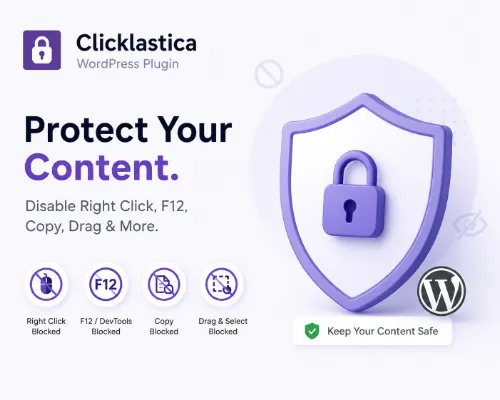
Clicklastica is a lightweight WordPress content protection plugin designed to discourage casual content copying on the frontend. The plugin focuses on simplicity, speed, and ease of use while keeping all original protection features.
Clicklastica works automatically after activation. There is no menu, no settings page, and no complicated configuration. Admin users are never affected, and only normal visitors receive frontend restrictions.
Simple and Easy to Use
Clicklastica is designed for beginners and first-time bloggers who want a simple WordPress content protection plugin without technical setup.
To use Clicklastica, simply install and activate the plugin, log out of WordPress, clear hosting and browser cache, then visit the website as a normal visitor to test the protection features.
Important Cache Notice
If hosting cache or browser cache is not cleared, the plugin may appear not to work correctly. This is common on shared hosting, cache plugins, and CDN services.
Always test Clicklastica as a logged-out visitor or in a private or incognito browser window after clearing cache.
This step is especially important for newcomers and first-time WordPress users.
Protection Features
Although the settings page has been removed, Clicklastica still keeps all original protection features. Everything works automatically in silent mode with no popups shown to visitors.
The plugin discourages common casual copying actions such as right-click saving, keyboard shortcuts commonly used for copying, drag-and-drop copying, text selection, and access to browser developer tools.
This lightweight WordPress content protection plugin is designed to stay simple while still helping reduce casual content copying. Clicklastica includes protection for Android devices and touchscreen browsers. Protection on Apple Safari may vary because of browser limitations.
Admin-Safe by Design
Clicklastica never blocks admin users.
Logged-in administrators can always use the website normally, including inspecting elements, copying content, and debugging both the frontend and WordPress dashboard.
This prevents site owners from accidentally blocking themselves while managing the website.
What Clicklastica Does and Does Not Do
Clicklastica is designed to discourage casual copying, not provide full content security. Advanced users may still access content using technical methods.
The goal is to reduce basic copying attempts while keeping the plugin beginner-friendly, lightweight, and easy to use.
Official WordPress.org Plugin
Clicklastica is available in the official WordPress.org plugin directory and can be installed directly from the WordPress admin dashboard.
If you need a simple WordPress content protection plugin with automatic frontend protection and no settings page, Clicklastica is designed to work immediately after activation.
WordPress.org Plugin Page
https://wordpress.org/plugins/clicklastica/
Plugin not working? Please report the issue through our Contact Page. Be sure to include the pluginl name, your browser, and a short description of what happened so we can fix it quickly!
